

Today, we officially begin our deep dive into optical communication hardware. In our modern, hyper-connected era, optical communication is like a behind-the-scenes superhero. It supports every smooth experience we have-whether watching 4K videos, gaming with low latency, transferring massive files, or connecting to 5G. If optical communication is the superhero, then the hardware constitutes its muscles, bones, and veins, determining the speed, distance, and stability of every transmission.
In this series, we promise to avoid piling up boring theory. Instead, we will use grounded language and real-world cases to help you learn hardcore technology without falling asleep.
For this first article, we start with the most basic "transmission bloodline": Optical Fiber. We will focus on distinguishing between two "brothers" that often confuse newcomers: Single-Mode and Multi-Mode fiber.
Why Can Optical Fiber "Run" So Fast?
Before comparing the brothers, let's look at how fiber works.
Total Internal Reflection (TIR) in fiber optics is the physical phenomenon where light signals are entirely contained and reflected back into a medium's core due to a higher refractive index than the surrounding cladding.
Forget complicated physics; just remember this core concept: the optical signal "bounces around" inside the core but cannot escape, allowing it to travel forward continuously. It's just like how we reflect light in a mirror.
Some friends might ask: "Why not just use copper electrical wires?" Metal conductors have resistance, leading to very short transmission distances. They also suffer from severe electromagnetic interference, preventing full-bandwidth transmission. Adding heavy shielding layers combats the interference but makes the cost skyrocket.
Copper transmission is like driving on a slow, bumpy country road. Optical fiber transmission is like driving a sports car on a highway-fast, smooth, and interference-free.
Single-Mode vs. Multi-Mode: Core Differences At a Glance
While the names sound simple, behind them lies a series of critical parameter and performance differences. To help you-extract these facts quickly, here is the core breakdown:
Core Parameter Comparison Table
| Feature | Single-Mode Fiber (SMF) | Multi-Mode Fiber (MMF) |
| Core Diameter | 8–10 microns (Usually 9µm) | 50 or 62.5 microns |
| Light Source | High-precision Laser (e.g., DFB) | Lower-cost LED or VCSEL |
| Modal Dispersion | None (Single path) | Significant (Multiple paths) |
| Max Distance (10G) | Up to 40km (1310nm) / 120km (1550nm) | 33m (OM1/2) to 550m (OM4) |
| System Cost | Premium (More expensive transceivers) | Practical (60%–70% cost of SMF) |
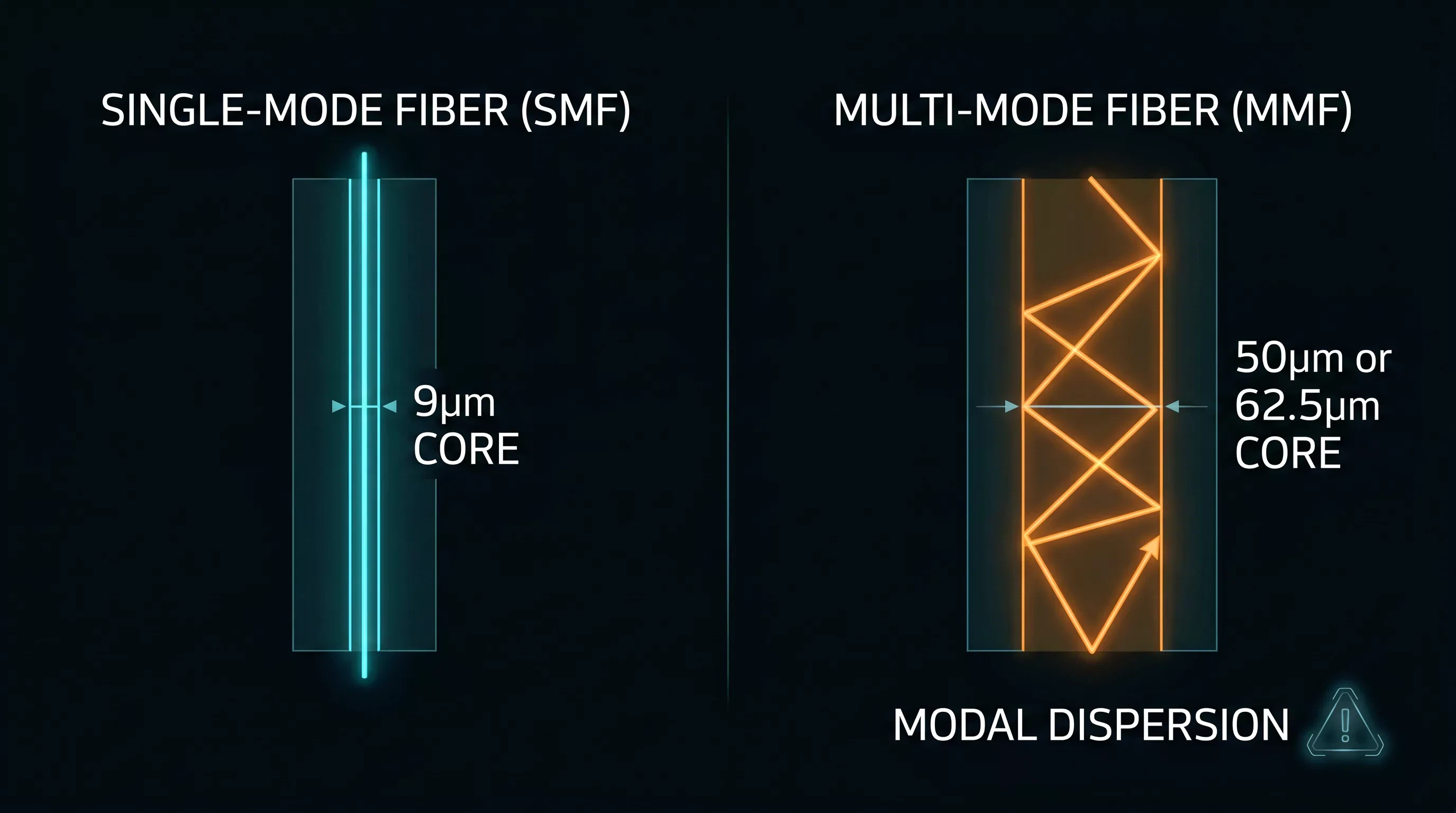
1. Fiber Core Diameter: Thin vs. Thick
The core diameters are drastically different. Single-mode is "thin as a hair," while multi-mode is "thick but refined."
Single-mode fiber (SMF) has a tiny core, usually just 9 microns in diameter (roughly one-tenth the thickness of a human hair). Multi-mode fiber (MMF) cores are much thicker, commonly 50 microns or 62.5 microns.
Let's use the highway analogy again. SMF is a "single-lane" road, allowing only one beam of light to transmit along a fixed path. MMF is a "multi-lane" road, allowing several beams of light to transmit along different paths simultaneously.
2. Light Source and System Cost
Simply put, single-mode fiber is "premium and efficient," while multi-mode fiber is "affordable and practical."
Because the SMF core is so thin, it requires a high-precision laser (like a Distributed Feedback/DFB laser) as the light source to accurately inject the optical signal. MMF's thicker core allows the use of lower-cost light sources, such as Light-Emitting Diodes (LED) or Vertical-Cavity Surface-Emitting Lasers (VCSEL).
While the fiber glass itself isn't expensive, the supporting laser optics make a huge impact on your budget. Leading optical communication manufacturers like Spring Optical point out that a multi-mode supporting equipment system generally costs only 60% to 70% of a single-mode system.
For example: A 10Gbps single-mode optical module + fiber system might cost roughly 1200 USD, while an equivalent multi-mode system costs only about 740 USD. The price gap is quite obvious.
When to Use Single-Mode Fiber vs. Multi-Mode Fiber
Once you understand the performance limitations, selecting the right deployment scenario becomes second nature.
The Single-Mode Battlefield: Long-distance, large-capacity transmission scenarios. This includes telecom operators' long-haul trunks, metro network backbone links, 5G base station backhaul networks, and data center interconnects exceeding 550 meters.
The Multi-Mode Battlefield: Short-distance sprints. This includes data center equipment room internal cabinet interconnects (distance ≤300 meters), enterprise intranets, campus networks, and building horizontal cabling.
Key Elements to Avoid Selection Pitfalls
550m) and 100G+ speeds against "MULTI-MODE BATTLEFIELD" for short distances (<550m) in data centers and campus networks." title="An infographic decision guide for engineers title "FIBER OPTIC SELECTION GUIDE". It contrasts "SINGLE-MODE BATTLEFIELD" for long distances (>550m) and 100G+ speeds against "MULTI-MODE BATTLEFIELD" for short distances (<550m) in data centers and campus networks." loading="lazy" width="2752" height="1536" src="/uploads/9773/info/20260601121351e28b8.webp?size=2752x0" />
Many O&M engineers fall into the "cost-only theory" trap-using all multi-mode because it's cheap, or all single-mode because of better performance. Follow these 4 elements to keep your network optimized:
Transmission Distance: Over 550 meters? Choose single-mode directly, no discussion. Within 550 meters? Then consider multi-mode to save budget.
Bandwidth Requirements: For ultra-high speeds of 40G, 100G, and above over extended ranges, prioritize single-mode combined with coherent detection technology.
Cabling Environment: If using tight, existing conduits, prioritize single-mode bend-insensitive fiber (G.657 standard) for tight indoor vertical runs.
Lifecycle Cost: Don't just look at the initial investment. Calculate the upgrade costs for the next 10 years. Single-mode fiber has vastly superior scalability for future high-speed migrations.
⚠️ Critical O&M Warning: If you must interconnect single-mode and multi-mode fiber, you must use a bidirectional mode converter (MMC) to keep insertion loss within 1dB.
Once, a maintenance technician used a single-mode patch cord to connect straight into a multi-mode fiber link for simplicity. The result? Constant packet loss and stuttering on the monitoring screen. It took half a day of troubleshooting to discover that low-level mistake. Don't step on this pitfall!
Summary Mantra
When selecting fiber, memorize this three-step checklist: Identify type by color, choose mode by distance, calculate cost by needs. If you are deploying multi-mode fiber, you still need to navigate the various generations of the family. To master the differences between performance tiers, check out our next guide on Understanding Multi-Mode Fiber Grades (OM1 to OM5).
FAQ
What is the main difference between single-mode and multi-mode fiber?
The primary difference is the core diameter. Single-mode fiber has a tiny 9-micron core that allows only one light path (mode), eliminating modal dispersion for long distances. Multi-mode fiber has a larger 50 or 62.5-micron core that allows multiple light paths, making it suitable for shorter, lower-cost applications.
How can I visually tell single-mode fiber from multi-mode fiber?
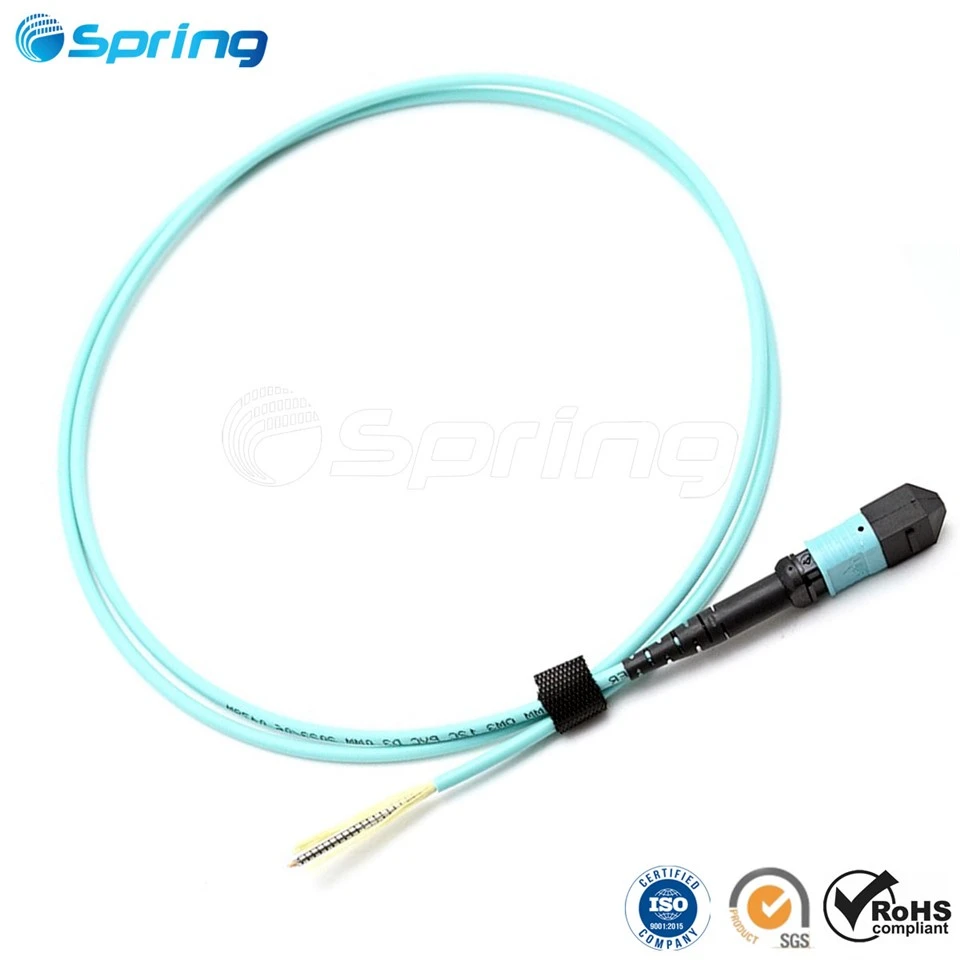
You can quickly distinguish them by the color of the outer sheath and the connector boot. Single-mode fiber is almost always yellow with a blue connector boot. Multi-mode fiber sheaths are typically orange, aqua (light green), lime green, or violet.
Is single-mode fiber more expensive than multi-mode fiber?
While the fiber cable glass itself is not expensive, single-mode systems are generally more costly overall. This is because single-mode fiber requires high-precision, expensive laser transceivers, whereas multi-mode fiber can use lower-cost LED or VCSEL light sources. A multi-mode system typically costs 60% to 70% of a single-mode system.
Can I directly connect single-mode fiber to multi-mode fiber?
No, you cannot directly connect them. Because of the vast difference in core diameters (9 microns vs. 50/62.5 microns), directly connecting them will cause severe signal loss. To interconnect them, you must use a bidirectional mode converter (MMC).
When should I choose single-mode fiber over multi-mode fiber?
You should choose single-mode fiber for any transmission distance exceeding 550 meters. It is the standard choice for operator long-haul trunks, metro backbones, 5G backhaul, and interconnects between distant data centers.