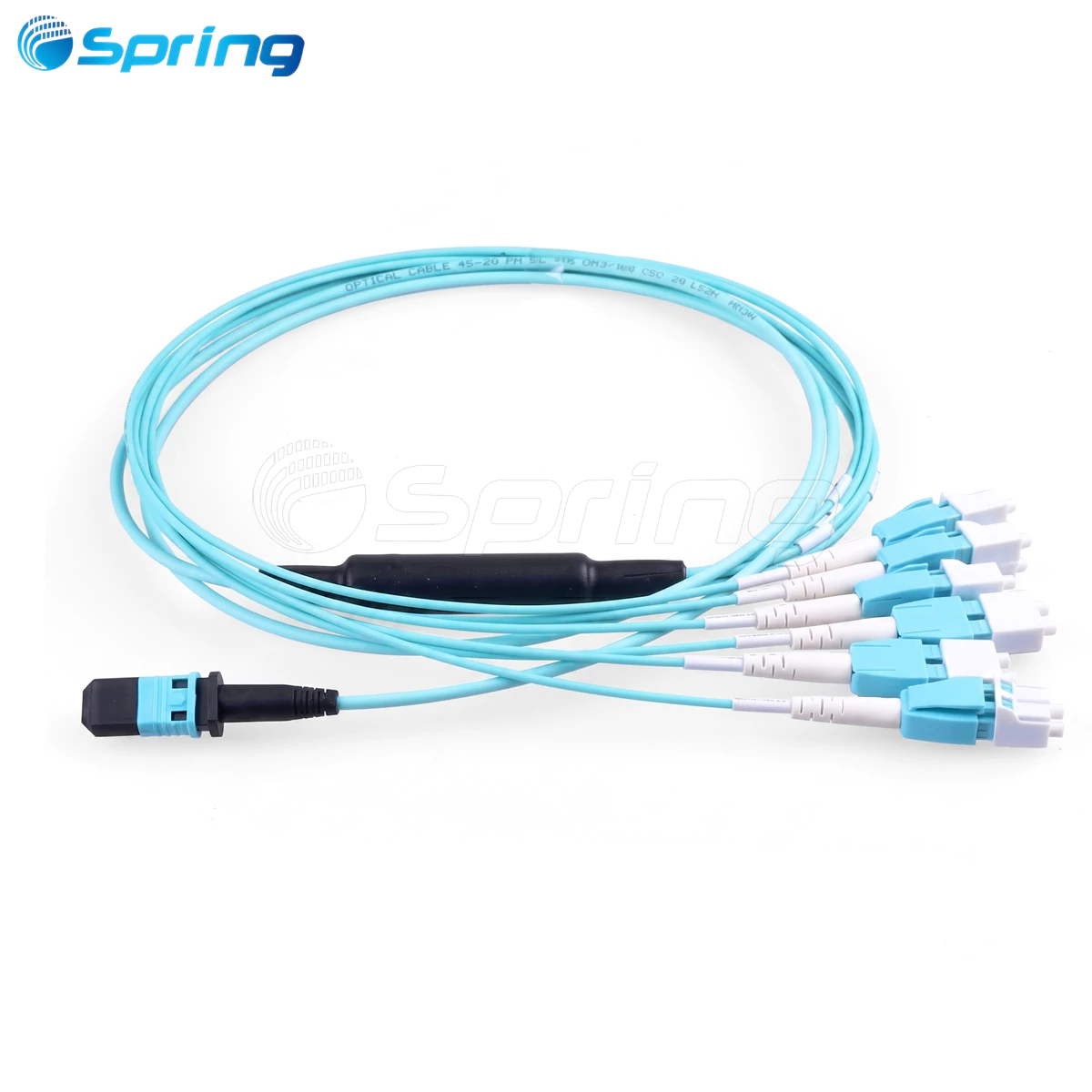


The main difference is that single-mode fiber allows light to travel through one path, while multi-mode fiber supports multiple light paths. Single-mode fiber also has a smaller core diameter than multi-mode fiber. Understanding these differences is crucial for making the right choice.

What is Single-Mode Fiber?
Single-mode fiber has an extremely small core diameter, typically around 8 to 10 microns, and allows only one mode of light to propagate. Due to this design, signal attenuation is low, and the bandwidth capacity is very high, making it ideal for long-distance transmission. Single-mode fiber is suitable for long-distance communications such as telecommunications backbones, metropolitan area networks (MAN), and long-distance fiber-to-the-home (FTTH) deployments.
Core Diameter: ~9 microns
Light Source: Laser
Standards: OS1 (indoor) and OS2 (outdoor)
OS1 and OS2 Single-Mode Fiber: The choice of single-mode fiber cables is usually divided into two standards: OS1 and OS2. OS1 is used for indoor applications, while OS2 is designed for outdoor cabling and longer-distance fiber connections. OS2 fiber offers lower attenuation, making it suitable for ultra-long-distance transmission needs.
What is Multi-Mode Fiber?
Multi-mode fiber has a larger core diameter, typically 50 or 62.5 microns, and can support multiple light modes simultaneously. This design makes multi-mode fiber more cost-effective for short-distance transmission, but can lead to modal dispersion, which affects bandwidth and transmission distance.
Core Diameter: 50 or 62.5 microns
Light Source: LED or VCSEL
Standards: OM1, OM2, OM3, OM4, OM5
Transmission Distance: OM3 supports up to 300 meters, OM4 supports up to 550 meters
The reason for the larger core diameter of multi-mode fiber is that it supports multiple light modes propagating through the core simultaneously. However, since each light mode takes a different path, the signal can experience different delays in propagation, leading to what is known as modal dispersion. While modal dispersion limits its bandwidth and transmission distance, the larger core and lower light source cost of multi-mode fiber make it very cost-effective for short-distance applications.
Key Differences Between Single-Mode and Multi-Mode Fiber
|
Feature |
Single-Mode Fiber |
Multi-Mode Fiber |
|
Core Diameter |
~9 microns |
50/62.5 microns |
|
Light Source |
Laser |
LED/VCSEL |
|
Transmission Distance |
Long (>40 km) |
Short (<2 km) |
|
Bandwidth |
Very High |
Medium to High |
|
Cost |
Higher transceiver cost, lower cable cost |
Lower transceiver cost, higher cable cost |
|
Typical Applications |
WANs, Long-distance telecom, Data Center Backbone |
LANs, Enterprise Networks, Campus Networks |


The larger core diameter of multi-mode fiber allows it to support multiple light modes propagating through the core. However, as the transmission distance increases, modal dispersion (the different paths taken by light modes) causes signal distortion, limiting bandwidth and distance. Therefore, although multi-mode fiber is cheaper, it does not perform as well as single-mode fiber over long distances.
In contrast, single-mode fiber has a smaller core diameter and supports the propagation of a single light mode, minimizing modal dispersion and making it suitable for long-distance, high-bandwidth applications.
Overview of Fiber Optic Cable Types
Understanding the different types of fiber optic cables is crucial for effective network design:
OS1/OS2: Single-mode fiber standards for long-distance transmission.
OM1: 62.5/125μm, supports 1Gbps.
OM2: 50/125μm, supports longer 1Gbps links.
OM3: Laser-optimized 50/125μm, supports 10Gbps, up to 300 meters.
OM4: Enhanced OM3, supports 10 Gbps, up to 550 meters.
OM5: Optimized for short-wave division multiplexing (SWDM), suitable for 40G/100G networks, up to 150 meters.
Particularly in short-distance networks, understanding the OM3, OM4, and OM5 multi-mode fiber types is crucial for future scalability.

How to Choose the Right Fiber Type: Single-Mode vs. Multi-Mode Fiber
When to Use Single-Mode Fiber?
Long-distance backbone connections
High bandwidth needs (e.g., 100G/400G)
Cloud data center interconnects
FTTH deployments
When to Use Multi-Mode Fiber?
Short-distance connections within buildings or campuses
Cost-sensitive data centers
High-speed interconnects over short distances (up to 100G)
When choosing the appropriate fiber type, factors such as transmission distance, bandwidth requirements, and cost-effectiveness must be considered. For instance, single-mode fiber is suited for longer distances and is generally more scalable for future needs, while multi-mode fiber is a cost-effective choice for local networks or data center cabling.
Frequently Asked Questions: Single-Mode vs. Multi-Mode Fiber
Q1: What is the main difference between single-mode and multi-mode fiber?
A: Single-mode fiber allows light to propagate along one path, making it suitable for long-distance transmission. Multi-mode fiber allows light to propagate along multiple paths, making it suitable for short-distance applications.
Q2: When should I use single-mode fiber?
A: Use single-mode fiber for transmission distances greater than 500 meters or applications requiring future bandwidth expansion.
Q3: Is multi-mode fiber cheaper than single-mode fiber?
A: Yes, multi-mode fiber is typically less expensive due to lower transceiver costs, though the cable material cost is higher.
Q4: What is the difference between OS1 and OS2?
A: OS1 is used for indoor cabling; OS2 is optimized for outdoor and long-distance applications.
Q5: Can multi-mode fiber support 100G networks?
A: Yes, OM4 and OM5 multi-mode fibers can support 100G Ethernet using parallel optics or SWDM.

For more information about Single-Mode and MultiMode Fiber Optic Cables,
please contact us at sales@springoptic.com. We will try our best to support you.